Best Mesh Wi-Fi System for a Large Home (2026): 5 Top Picks
Last updated: November 8, 2026
Reader-supported: we may earn a commission when you buy through links on this page, at no extra cost to you. It never affects our rankings. Learn more.
In a big house, one router rarely reaches every room. Video calls freeze in the upstairs office, the security camera in the garage drops offline, and the backyard gets no signal at all. The best mesh Wi-Fi system for a large home spreads several units around your house so they work as one strong network with one name and password.
We compared the most popular mesh systems on speed, coverage, backhaul, Ethernet ports, security and parental controls, and hidden subscription costs. Here are our picks for 2026.

Our top picks
| Mesh system | Wi-Fi standard | Score | Buy link |
|---|---|---|---|
| TP-Link Deco BE63Best overall | Wi-Fi 7, tri-band | 9.1 | Check price |
| Netgear Orbi 770Best premium pick | Wi-Fi 7, tri-band | 8.8 | Check price |
| Amazon eero Pro 7Easiest to set up | Wi-Fi 7, tri-band | 8.7 | Check price |
| Linksys Velop Pro 7Best value Wi-Fi 7 | Wi-Fi 7, tri-band | 8.4 | Check price |
| TP-Link Deco X55Best budget pick | Wi-Fi 6, dual-band | 8.3 | Check price |
The best mesh Wi-Fi systems for large homes, reviewed
TP-Link Deco BE63

- Wi-FiWi-Fi 7, tri-band BE10000 (2.4, 5 and 6 GHz)
- CoverageUp to 5,800 sq ft for a 2-pack (maker claim)
- Ports4 x 2.5 Gbps WAN/LAN per unit, 1 USB
- DevicesUp to 200 at once
- SecurityTP-Link HomeShield with parental controls
The Deco BE63 gives you fast Wi-Fi 7 on three bands, including the new 6 GHz band. TP-Link rates it at BE10000 and says a 2-pack covers up to 5,800 square feet.
Each unit has four 2.5-gigabit Ethernet ports, so you can wire the units together for even better speed or plug in a TV, console or computer.
TP-Link HomeShield adds parental controls and threat protection. Some advanced HomeShield features need TP-Link’s paid plan.
What we like
- Fast tri-band Wi-Fi 7
- Four 2.5 Gbps ports on every unit
- Strong value for large homes
- Free basic parental controls
Watch out for
- Some HomeShield features need a subscription
- Units are fairly large
- Price varies a lot by retailer
Best for: Most large and multi-story homes that want fast, future-proof Wi-Fi.
Skip it if: You live in a small apartment.
Check price on Amazon Price range: See TP-Link retailers
Netgear Orbi 770
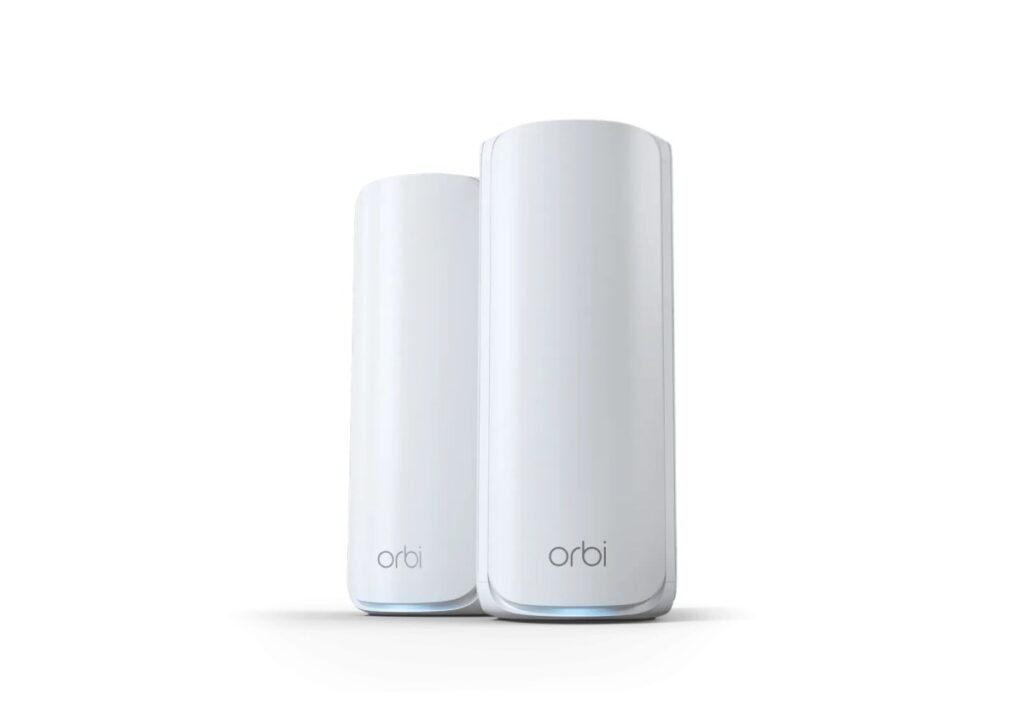
- Wi-FiWi-Fi 7, tri-band, up to 11 Gbps
- CoverageUp to 8,000 sq ft (1 router + 2 satellites)
- PortsTwo 2.5 Gbps Ethernet ports
- Key featureMulti-Link Operation (MLO)
- SecurityNETGEAR Armor free trial; 1-year warranty
Orbi systems are known for strong range in big homes. NETGEAR says the Orbi 770 three-pack covers up to 8,000 square feet with tri-band Wi-Fi 7 at up to 11 Gbps.
It uses Wi-Fi 7 Multi-Link Operation to keep the link between router and satellites steady, and handles up to 100 devices at once.
It is expensive, and NETGEAR Armor security is only a free trial, then paid. It has a 1-year warranty.
What we like
- Up to 8,000 sq ft coverage
- Wi-Fi 7 with MLO
- Two 2.5 Gbps ports
- Up to 11 Gbps
Watch out for
- Very expensive
- Security is paid after the trial
- Only a 1-year warranty
Best for: Very large homes where coverage matters more than price.
Skip it if: You are on a budget or want free parental controls.
Check price on Amazon Price range: See NETGEAR
Amazon eero Pro 7

- Wi-FiWi-Fi 7, tri-band, up to 3.9 Gbps wireless
- CoverageUp to 2,000 sq ft per unit
- Ports2 x 5 GbE auto-sensing per unit
- Smart homeThread, Zigbee and Matter hub
- Subscriptioneero Plus optional
eero is known for being easy. The Pro 7 adds tri-band Wi-Fi 7, with eero rating each unit at about 2,000 square feet and 200+ devices.
Each unit has two 5-gigabit Ethernet ports, and it doubles as a smart home hub for Thread, Zigbee and Matter devices with Alexa.
eero listed it from $299.99 for one unit in November 2026. Advanced security, ad blocking and parental controls need a paid eero Plus plan.
What we like
- Very easy setup and app
- Fast 5 Gbps ports
- Smart home hub built in
- Automatic updates
Watch out for
- Only two Ethernet ports per unit
- Best features need eero Plus
- Few advanced settings for power users
Best for: Families who want strong Wi-Fi without any tinkering.
Skip it if: You want many wired ports or deep settings.
Check price on Amazon Price range: From $299.99 per unit at eero
Linksys Velop Pro 7

- Wi-FiWi-Fi 7, true tri-band
- CoverageUp to 3,000 sq ft per node (maker claim)
- Ports2.5 Gbps internet port + 4 x 1 Gbps
- BuildDie-cast chassis, aluminum heat sinks
- SubscriptionNot required for core features
The Velop Pro 7 brings true tri-band Wi-Fi 7, and Linksys says each node covers up to 3,000 square feet.
You get a 2.5 Gbps internet port for multi-gig plans and four gigabit Ethernet ports on each unit, which is handy for desks and TVs.
Its LAN ports are gigabit rather than 2.5 Gbps, so wired speeds between rooms are lower than on the Deco BE63.
What we like
- Tri-band Wi-Fi 7 for less
- Four wired ports per unit
- Easy setup
- No required subscription
Watch out for
- LAN ports are gigabit, not 2.5 Gbps
- Fewer free parental controls
- Price not listed on the Linksys page
Best for: Large homes that want Wi-Fi 7 speed at a better price.
Skip it if: You want the most polished app.
Check price on Amazon Price range: See Linksys
TP-Link Deco X55
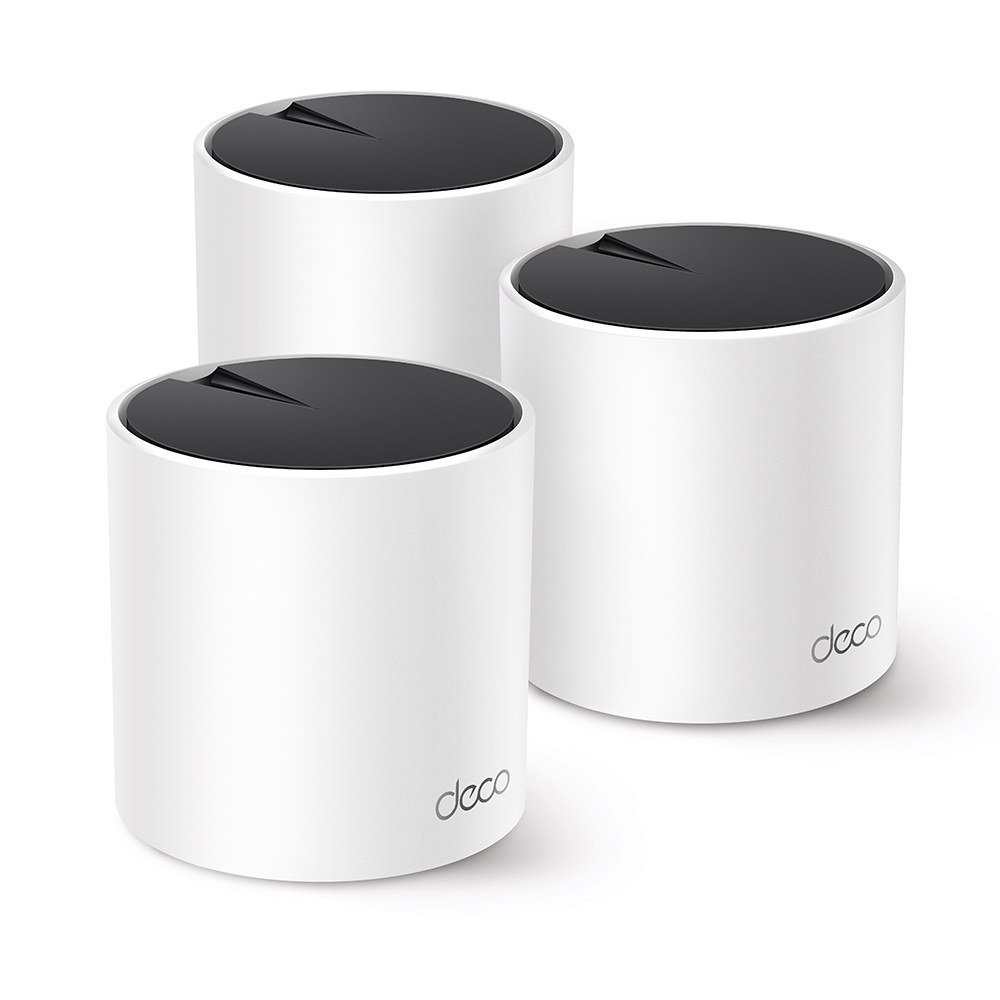
- Wi-FiWi-Fi 6, dual-band AX3000 (2402 + 574 Mbps)
- CoverageUp to 6,500 sq ft for a 3-pack (maker claim)
- Ports3 gigabit Ethernet per unit
- SecurityTP-Link HomeShield with parental controls
- MeshAI-Driven Mesh
If your internet plan is under 500 Mbps, you may not need Wi-Fi 7 yet. The Deco X55 is a proven Wi-Fi 6 mesh system, and TP-Link says a 3-pack covers up to 6,500 square feet.
It uses the same simple Deco app, includes TP-Link HomeShield with parental controls and has three gigabit ports per unit.
Because it is dual-band, speeds drop more at the far units unless you connect them with Ethernet.
What we like
- Low price for whole-home coverage
- Easy Deco app
- Three Ethernet ports per unit
- Free basic parental controls
Watch out for
- Wi-Fi 6, not Wi-Fi 7
- Dual-band only
- Slower far from the main unit without wired backhaul
Best for: Large homes with internet plans under 500 Mbps.
Skip it if: You pay for gigabit internet or faster.
Check price on Amazon Price range: See TP-Link retailers
Side-by-side comparison
| TP-Link Deco BE63 | Netgear Orbi 770 | Amazon eero Pro 7 | Linksys Velop Pro 7 | TP-Link Deco X55 | |
|---|---|---|---|---|---|
| Best for | Best overall | Best premium pick | Easiest to set up | Best value Wi-Fi 7 | Best budget pick |
| Wi-Fi standard | Wi-Fi 7 | Wi-Fi 7 | Wi-Fi 7 | Wi-Fi 7 | Wi-Fi 6 |
| Bands | Tri-band | Tri-band | Tri-band | Tri-band | Dual-band |
| Fastest port | 2.5 Gbps (x4) | 2.5 Gbps (x2) | 5 Gbps (x2) | 2.5 Gbps WAN | 1 Gbps |
| Coverage claim | 5,800 sq ft (2-pack) | 8,000 sq ft (3-pack) | 2,000 sq ft per unit | 3,000 sq ft per node | 6,500 sq ft (3-pack) |
| Price | See TP-Link retailers | See NETGEAR | From $299.99 per unit at eero | See Linksys | See TP-Link retailers |
| Our score | 9.1 | 8.8 | 8.7 | 8.4 | 8.3 |
How to choose a mesh Wi-Fi system for a large home
1. Count units, not just square feet
Maker coverage claims assume open spaces. Thick walls, brick, concrete and multiple floors cut range. As a rule, plan one unit per floor, plus one more for a far corner, garage or backyard.
2. Choose tri-band for big homes
Tri-band systems use one band to talk between the units, which keeps speeds high far from the main router. Dual-band systems are cheaper but lose more speed at each hop.
3. Use wired backhaul if you can
If your home has Ethernet in the walls, connect the mesh units with cables. This gives the best possible speed and makes even a budget system feel fast.
4. Match the system to your internet plan
Wi-Fi 7 shines with fast plans of 1 Gbps and above, and with newer phones and laptops. For plans under 500 Mbps, a good Wi-Fi 6 system is often enough.
5. Check for subscription costs
Many brands charge monthly for advanced security, ad blocking and full parental controls. If you need these features, add the yearly cost to the price. See our guide to the best router with parental controls for families.
Where to place mesh units
- Put the main unit near your modem, as close to the center of the home as you can.
- Place each satellite about halfway between the main unit and the dead zone, not inside the dead zone.
- Keep units in the open, off the floor and away from metal, fish tanks and microwaves.
- In a multi-story home, place units on different floors, roughly above one another.
- Use the app’s signal test after setup and move any unit that shows a weak connection.
Frequently asked questions
How many mesh units do I need for a large home?
Most homes of 3,000 to 5,000 sq ft do well with a 3-pack. Very large homes, long ranch layouts or homes with thick walls may need four or more units, or wired backhaul.
Is mesh Wi-Fi better than a Wi-Fi extender?
Usually, yes. Mesh units work as one network with one name and hand your devices from unit to unit automatically. Many extenders create a separate network and cut speed in half.
Do I still need my internet provider’s router?
You need the modem. If your provider gives you a modem-router combo, you can put it in bridge mode or turn off its Wi-Fi so it does not clash with the mesh system.
Is Wi-Fi 7 worth it for a large home?
It is worth it if you have fast internet and newer devices, or want your system to last several years. Otherwise, a good Wi-Fi 6 mesh system is a smart way to save money.
Can I mix different mesh brands?
No. Mesh units only work with the same brand, and usually the same product family. EasyMesh can link some brands, but results are mixed.
Do mesh systems need a subscription?
No, the basic Wi-Fi works for free. Subscriptions add extras such as advanced security, ad blocking and detailed parental controls.
The bottom line
For most large homes, the TP-Link Deco BE63 is the best mesh Wi-Fi system, with tri-band Wi-Fi 7 and four 2.5 Gbps ports on every unit. Choose the Netgear Orbi 770 for the biggest coverage claim, the eero Pro 7 for the easiest setup and 5 Gbps ports, the Linksys Velop Pro 7 for Wi-Fi 7 with plenty of gigabit ports, or the TP-Link Deco X55 on a budget.
More for a safer connected home: see the best router with parental controls, the best security cameras with no monthly fees, or browse all Wi-Fi and Digital Safety guides.
Sources
- TP-Link: Deco BE63
- NETGEAR: Orbi 770 (RBE773)
- eero: Pro 7
- Linksys: Velop Pro 7
- TP-Link: Deco X55
- Wi-Fi Alliance: Wi-Fi CERTIFIED 7
Featured photo: ‘Wifi Router’ by s_pixels, licensed under CC BY 2.0.