Best Wi-Fi Extender (2026): 4 Picks to Fix Dead Zones
Last updated: November 9, 2026
Reader-supported: we may earn a commission when you buy through links on this page, at no extra cost to you. It never affects our rankings. Learn more.
A single router often cannot reach every corner of a home. Bedrooms at the far end of the house, the basement office or the back patio can be Wi-Fi dead zones, which also means smart cameras and doorbells drop offline. A Wi-Fi extender picks up your router’s signal and rebroadcasts it where you need it. The best Wi-Fi extender is easy to set up, fast enough for video calls and streaming, and works smoothly with your existing router.
We compared current extenders and powerline kits on rated speed, Wi-Fi standard, Ethernet ports, mesh support, setup and price. Here are our picks for 2026, plus advice on when a mesh system is the better choice.

Our top picks
| Wi-Fi extender | Type | Score | Buy link |
|---|---|---|---|
| TP-Link RE705X AX3000Best overall | Wi-Fi 6 plug-in extender | 9 | Check price |
| NETGEAR Nighthawk EAX15Best for NETGEAR homes | Wi-Fi 6 plug-in extender | 8.6 | Check price |
| TP-Link AV1000 Powerline Wi-Fi Kit (TL-WPA7617 KIT)Best for thick walls and basements | Powerline with Wi-Fi | 8.4 | Check price |
| TP-Link RE315 AC1200Best budget pick | Wi-Fi 5 plug-in extender | 8.2 | Check price |
The best Wi-Fi extenders, reviewed
TP-Link RE705X AX3000

- Wi-FiWi-Fi 6, dual-band AX3000 (574 + 2402 Mbps)
- Ports1 gigabit Ethernet port
- MeshOneMesh and EasyMesh compatible
- ModesRange extender or access point
- Antennas2 external
TP-Link’s RE705X is a fast Wi-Fi 6 extender that works with any router. TP-Link rates it at up to 2402 Mbps on 5 GHz and 574 Mbps on 2.4 GHz.
With TP-Link OneMesh or EasyMesh routers it can form one seamless network. Its gigabit Ethernet port can connect a TV or game console, and it can also work as an access point.
As with any extender, you lose some speed compared with standing near the router.
What we like
- Fast Wi-Fi 6 speeds
- Works with any router
- OneMesh with TP-Link routers
- Gigabit Ethernet port
Watch out for
- Bulky on a wall outlet
- Some speed loss, like all extenders
- Antennas stick out
Best for: Most homes with one or two dead zones.
Skip it if: Your whole house has weak Wi-Fi; consider mesh.
Check price on Amazon Price range: See retailers
NETGEAR Nighthawk EAX15

- Wi-FiWi-Fi 6, dual-band AX1800 (up to 1.8 Gbps)
- Ports1 gigabit Ethernet port
- MeshCreates a mesh network with your existing router
- SetupNighthawk app
- Antennas2 internal
NETGEAR’s Nighthawk EAX15 is a compact Wi-Fi 6 wall-plug extender with internal antennas. NETGEAR rates it at up to 1.8 Gbps with four Wi-Fi streams.
It creates a mesh network with your existing router, and the Nighthawk app walks you through setup. A gigabit Ethernet port lets you wire in a nearby device.
It is slower on paper than the TP-Link RE705X, but its flat design without external antennas looks neater on the wall.
What we like
- Compact, no external antennas
- Wi-Fi 6 with 4 streams
- Easy Nighthawk app
- Gigabit Ethernet port
Watch out for
- Slower rating than RE705X
- Covers less than a mesh system
- Speed drops far from the router
Best for: NETGEAR router owners.
Skip it if: You want the fastest extender for the money.
Check price on Amazon Price range: See NETGEAR
TP-Link AV1000 Powerline Wi-Fi Kit (TL-WPA7617 KIT)
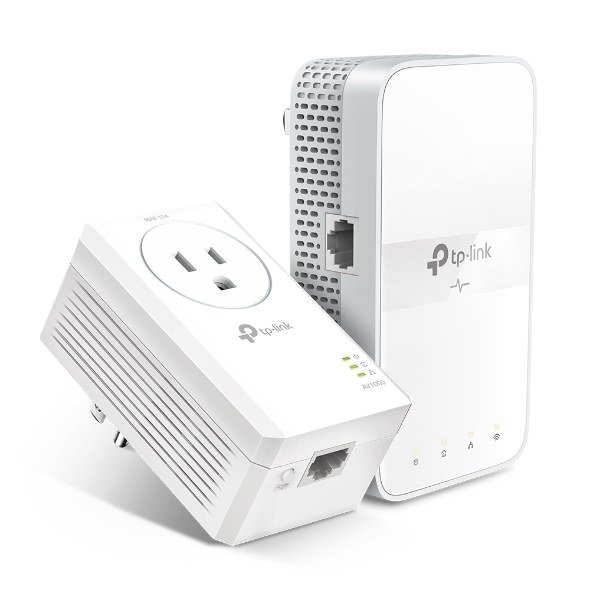
- PowerlineAV1000, HomePlug AV2
- Wi-FiDual-band AC1200 from the remote adapter
- PortsGigabit Ethernet
- DistanceUp to 1,000 ft over electrical wiring
- MeshOneMesh and EasyMesh compatible
- ExtraPass-through outlet on the main adapter
When thick walls, floors or distance block Wi-Fi, a powerline kit can help. One adapter plugs in near your router and sends data through your electrical wiring to a second adapter that creates Wi-Fi in a far room.
TP-Link rates the link at up to AV1000 over as much as 1,000 feet of wiring, and the remote adapter has dual-band AC1200 Wi-Fi. The main adapter keeps a pass-through outlet so you do not lose a socket.
Real speeds depend heavily on your home’s wiring, and powerline adapters should plug straight into a wall outlet, not a surge protector.
What we like
- Gets around thick walls and floors
- Ethernet ports for TVs and consoles
- Simple button pairing
- Good for basements
Watch out for
- Speed depends on wiring
- Must plug directly into wall outlets
- Slower than a good mesh system
Best for: Basements, garages and rooms Wi-Fi cannot reach.
Skip it if: Your home has unusual or very old wiring.
Check price on Amazon Price range: See retailers
TP-Link RE315 AC1200
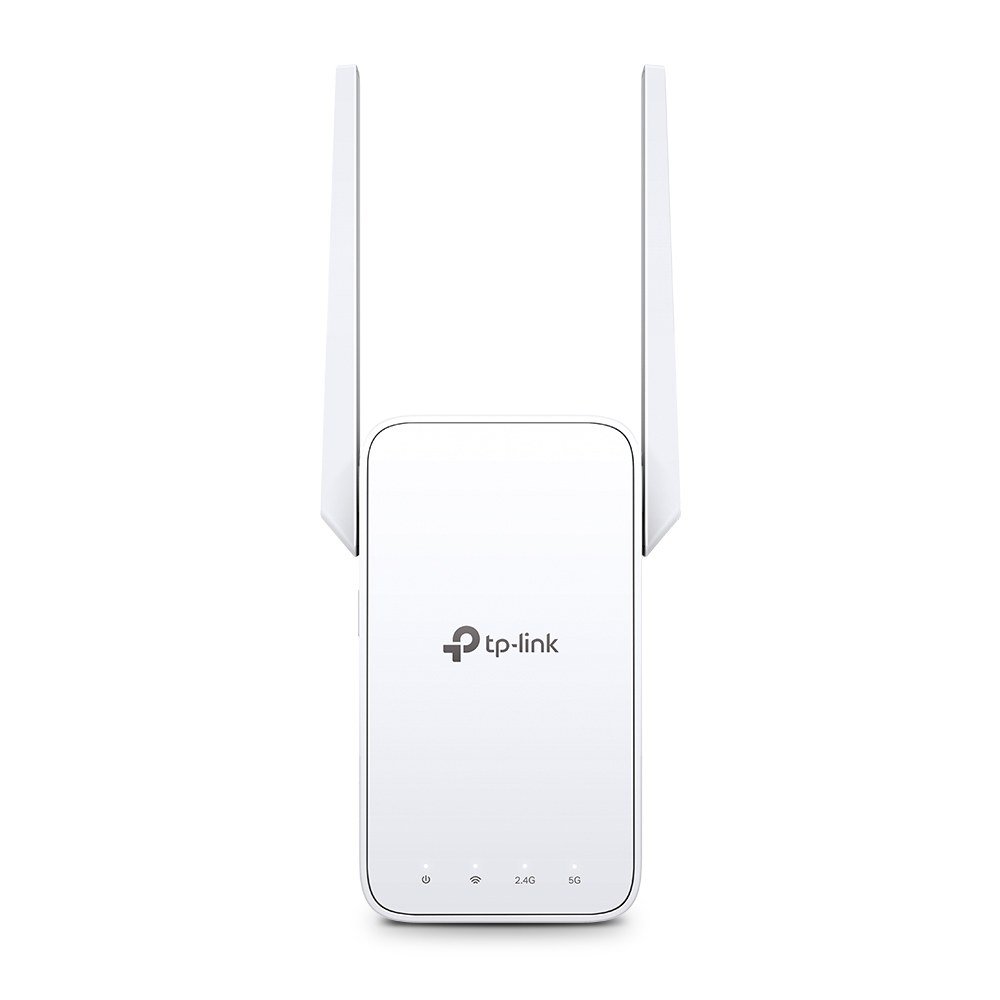
- Wi-FiWi-Fi 5, dual-band AC1200 (300 + 867 Mbps)
- Ports1 Ethernet port
- MeshOneMesh and EasyMesh compatible
- SetupTether app
- FormCompact wall plug
The RE315 is an inexpensive, compact extender that is enough to bring a weak bedroom or home office up to usable speeds for browsing, streaming and video calls.
It uses older Wi-Fi 5, with up to 867 Mbps on 5 GHz and 300 Mbps on 2.4 GHz, so it is slower than Wi-Fi 6 models. It works with OneMesh and EasyMesh routers.
For basic coverage on a budget, it is a sensible choice.
What we like
- Very low price
- Compact
- Easy app setup
- OneMesh support
Watch out for
- Older Wi-Fi 5
- Slower speeds
- Basic Ethernet port
Best for: Small dead zones on a tight budget.
Skip it if: You have fast internet and want full speed.
Check price on Amazon Price range: See retailers
Side-by-side comparison
| TP-Link RE705X AX3000 | NETGEAR Nighthawk EAX15 | TP-Link AV1000 Powerline Wi-Fi Kit (TL-WPA7617 KIT) | TP-Link RE315 AC1200 | |
|---|---|---|---|---|
| Best for | Best overall | Best for NETGEAR homes | Best for thick walls and basements | Best budget pick |
| Wi-Fi standard | Wi-Fi 6 (AX3000) | Wi-Fi 6 (AX1800) | Wi-Fi 5 (AC1200) | Wi-Fi 5 (AC1200) |
| Uses electrical wiring | No | No | Yes | No |
| Ethernet port | Gigabit | Gigabit | Gigabit | Yes |
| Mesh-style roaming | OneMesh / EasyMesh | Yes | OneMesh / EasyMesh | OneMesh / EasyMesh |
| Price | See retailers | See NETGEAR | See retailers | See retailers |
| Our score | 9 | 8.6 | 8.4 | 8.2 |
How to choose a Wi-Fi extender
1. Extender or mesh?
An extender is great for one or two weak spots. If your whole home has patchy Wi-Fi, a mesh system usually gives faster, more seamless coverage.
2. Match your router
A Wi-Fi 6 extender gets the most from a Wi-Fi 6 router. Some brands offer mesh-style roaming when the extender and router match.
3. Place it correctly
Put the extender about halfway between the router and the dead zone, where it still gets a strong signal. Too far from the router and it has little to extend.
4. Use Ethernet when you can
An Ethernet port lets you connect a TV, console or desktop by cable for a more stable connection.
5. Keep it secure
Use the same strong password and WPA2 or WPA3 security as your router, and keep the extender’s firmware updated.
Frequently asked questions
Do Wi-Fi extenders really work?
Yes, for improving coverage in a specific area. They reduce speed compared with standing near the router, but turn a dead zone into a usable connection.
Is a mesh system better than an extender?
For large homes or multiple dead zones, usually yes. Mesh systems are designed to work as one network with faster backhaul between units.
Where should I put my Wi-Fi extender?
About halfway between your router and the area with weak Wi-Fi, in an open spot, not behind furniture or inside a cabinet.
Will an extender slow down my internet?
It can reduce speeds in the extended area, especially on older single-band models. Dual-band Wi-Fi 6 extenders lose less speed.
Do powerline adapters work in every home?
They work in most modern homes but depend on wiring quality and whether outlets share the same electrical circuit. They do not work well through surge protectors.
Can an extender help my outdoor security cameras?
Yes. Placing an extender near an outside wall can strengthen the signal for cameras and video doorbells.
The bottom line
For most homes, the TP-Link RE705X is the best Wi-Fi extender, with fast Wi-Fi 6 speeds and a gigabit Ethernet port. Choose the NETGEAR Nighthawk EAX15 for NETGEAR homes, the TP-Link AV1000 Powerline Kit for thick walls and basements, or the TP-Link RE315 on a budget.
More for better Wi-Fi: see the best mesh Wi-Fi system for a large home, the best Wi-Fi router with parental controls, or browse all Wi-Fi and Digital Safety guides.
Sources
- TP-Link: RE705X
- NETGEAR: EAX15
- TP-Link: TL-WPA7617 KIT
- TP-Link: RE315
- FTC: securing your internet-connected devices at home
- CISA: secure our world
Featured photo: ‘Plug-in wireless access point’ by ryoichitanaka, licensed under CC BY 2.0.