Best Wi-Fi Router With Parental Controls (2026)
Last updated: November 8, 2026
Reader-supported: we may earn a commission when you buy through links on this page, at no extra cost to you. It never affects our rankings. Learn more.
Kids have phones, tablets, laptops, game consoles and smart TVs, and managing parental controls on each one is exhausting. A router with parental controls protects every device on your home Wi-Fi at once: you can block adult and harmful content, set bedtimes, limit screen time and pause the internet with one tap, even on devices that have no controls of their own.
We compared the most popular family routers on filtering, time limits, ease of use, bypass protection and subscription costs. Here are our picks for 2026.

Our top picks
| Router | Subscription | Score | Buy link |
|---|---|---|---|
| Gryphon Atlas MaxBest overall for families | See Gryphon for service plans | 9.0 | Check price |
| ASUS RT-AX82U with AiProtection ProBest with no subscription | None, AiProtection Pro is free for life | 8.8 | Check price |
| Amazon eero Pro 7 with eero PlusEasiest mesh system | eero Plus for parental controls | 8.7 | Check price |
| TP-Link Archer AX55 with HomeShieldBest budget router | HomeShield basic free, Pro optional | 8.4 | Check price |
| TP-Link Deco X55 with HomeShieldBest budget mesh | HomeShield basic free, Pro optional | 8.2 | Check price |
The best routers with parental controls, reviewed
Gryphon Atlas Max

- Wi-FiWi-Fi 7, tri-band (2.4/5/6 GHz), up to 19 Gbps
- CoverageUp to 4,000 sq ft, 200+ devices
- FilteringPer-person profiles, age-based filters, safe search, app and site blocking
- Time controlsSchedules, homework time, bedtime, instant pause
- SecurityAI intrusion detection, malware and phishing protection, WPA3
- Ports2 x 10GbE + 3 x gigabit
Gryphon is built for parents first, and the Atlas Max is its newest router. Every person gets a profile with age-appropriate filters, screen-time schedules, homework time and bedtimes, and you can pause the internet for anyone instantly.
It also blocks apps and websites, enforces safe search and shows what your family does online. Gryphon adds AI-powered intrusion detection and malware and phishing protection for every device, including smart-home gadgets.
It is fast tri-band Wi-Fi 7 with two 10-gigabit ports. Gryphon’s store listed it at $599 in November 2026, which is a lot for one router. The older Gryphon AX was out of stock.
What we like
- Detailed per-person parental controls
- AI security for every device
- Fast Wi-Fi 7 with 10 GbE ports
- See what your family does online
Watch out for
- Expensive at $599
- Cannot see inside encrypted apps
- Single router; large homes may need more
Best for: Families who want the most detailed controls and network security.
Skip it if: You are on a tight budget.
Check price on Amazon Price range: $599 at Gryphon (Nov 2026)
ASUS RT-AX82U with AiProtection Pro

- Wi-FiWi-Fi 6
- Parental controlsAdvanced Parental Controls in AiProtection Pro
- SecurityLifetime free AiProtection Pro, WPA3
- SubscriptionNone required
- ExtrasAura RGB lighting
ASUS includes AiProtection Pro on the RT-AX82U for free for life, with advanced parental controls and WPA3 security. There is no monthly fee.
AiProtection protects every device on your network, including smart-home gadgets that cannot run antivirus software.
The ASUS app and web settings are more technical than Gryphon or eero, but once set up it is a strong, subscription-free option.
What we like
- Free parental controls for life
- Network security included
- No subscription
- Strong Wi-Fi 6 router
Watch out for
- Settings are more technical
- Not a mesh system on its own
- Wi-Fi 6, not Wi-Fi 7
Best for: Parents who want solid controls without a monthly fee.
Skip it if: You want the simplest possible app.
Check price on Amazon Price range: See ASUS retailers
Amazon eero Pro 7 with eero Plus

- Wi-FiWi-Fi 7 tri-band mesh
- CoverageUp to 2,000 sq ft per unit
- Ports2 x 5 GbE per unit
- Parental controlsWith paid eero Plus
- eero Plus extrasAdvanced Security, Ad Blocking, VPN, 1Password, Malwarebytes
eero is known for being easy. Setup takes minutes in the app, and you can add more units to cover a large home with Wi-Fi 7.
eero lists Parental Controls as part of its paid eero Plus subscription, along with advanced security, ad blocking, a VPN, 1Password and Malwarebytes.
If you already want a mesh system, eero plus eero Plus is a painless way to add controls. eero listed the Pro 7 from $299.99 per unit in November 2026.
What we like
- Very easy setup and app
- Fast Wi-Fi 7 mesh
- 5 Gbps ports
- eero Plus bundles extra security apps
Watch out for
- Parental controls need eero Plus
- Premium price
- Filters less detailed than Gryphon
Best for: Larger homes that want fast mesh Wi-Fi and simple controls.
Skip it if: You want parental controls without a subscription.
Check price on Amazon Price range: From $299.99 per unit at eero
TP-Link Archer AX55 with HomeShield
- Wi-FiWi-Fi 6, AX3000 dual-band
- Parental controlsManage time online, block inappropriate content
- SecurityTP-Link HomeShield, Home Network Scanner
- PortsGigabit
- SubscriptionBasic features free, advanced optional
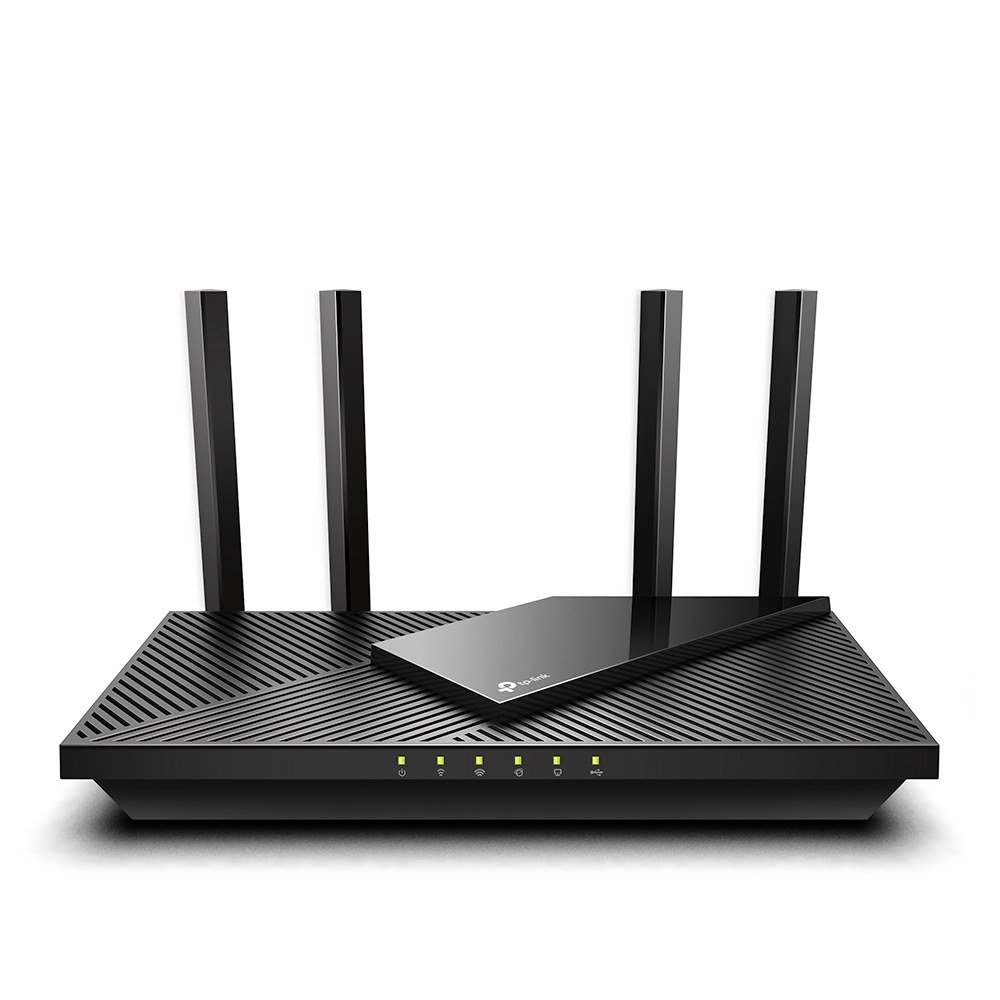
The Archer AX55 is an inexpensive Wi-Fi 6 router that includes TP-Link HomeShield. TP-Link says its parental controls let you manage time online and block inappropriate content.
It also has a real-time Home Network Scanner that looks for security problems. More detailed features are in TP-Link’s optional paid plan.
It will not match Gryphon’s controls, but for the price it is a smart upgrade over an old internet-provider router.
What we like
- Low price
- Parental controls and time limits
- Home Network Scanner
- Solid Wi-Fi 6 speeds for apartments
Watch out for
- Best features need the paid plan
- Easier for older kids to bypass
- Not a mesh system
Best for: Apartments and families with younger kids on a budget.
Skip it if: Your teens are skilled at getting around controls.
Check price on Amazon Price range: See TP-Link retailers
TP-Link Deco X55 with HomeShield
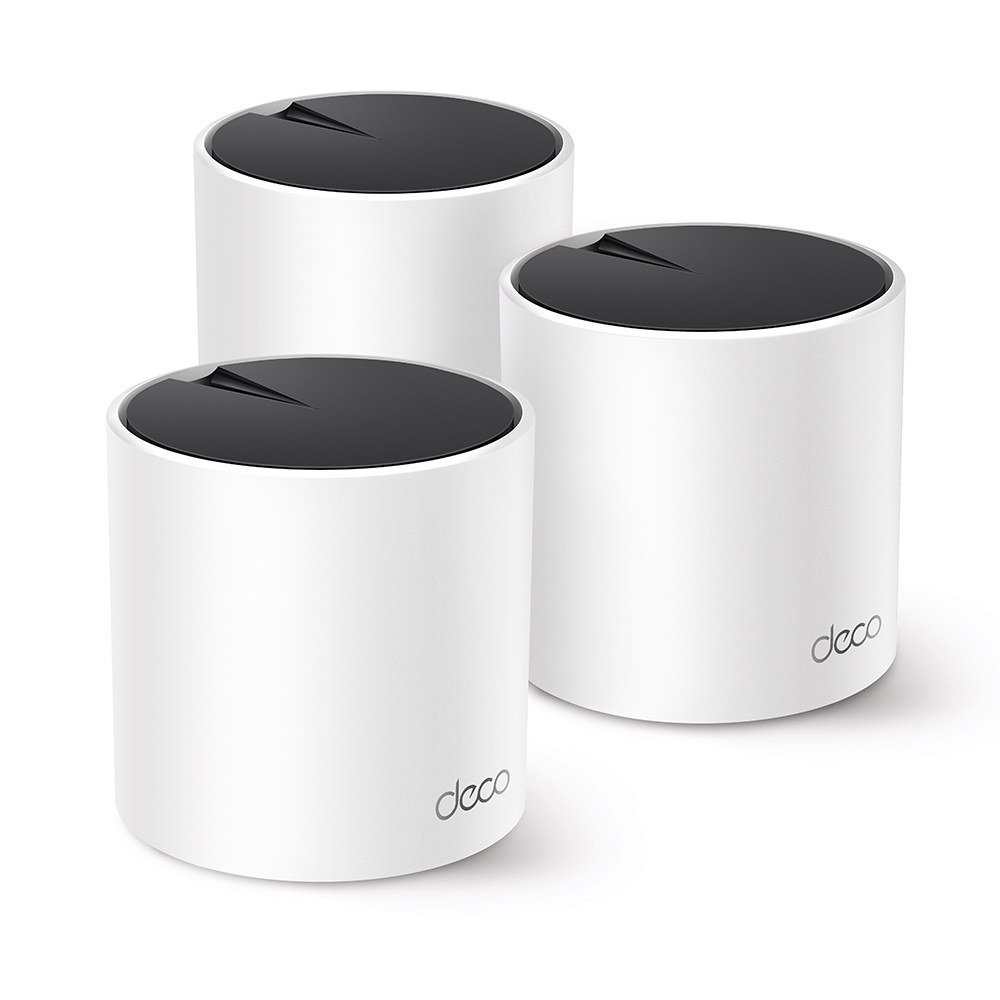
- Wi-FiWi-Fi 6 mesh, AX3000
- CoverageUp to 6,500 sq ft for a 3-pack (maker claim)
- Parental controlsTP-Link HomeShield
- SecurityNetwork protection and IoT protection
- Ports3 gigabit per unit
If you need whole-home coverage on a budget, the Deco X55 pairs Wi-Fi 6 mesh with TP-Link HomeShield. TP-Link describes HomeShield as network protection, parental controls and real-time IoT protection.
A 3-pack covers up to 6,500 square feet, according to TP-Link, and each unit has three gigabit Ethernet ports.
It uses the same Deco app as the BE63, so you can manage controls from your phone.
What we like
- Low-cost whole-home mesh
- HomeShield parental controls
- Three gigabit ports per unit
- Easy Deco app
Watch out for
- Advanced controls need the paid plan
- Dual-band only
- Wi-Fi 6, not Wi-Fi 7
Best for: Larger homes on a budget.
Skip it if: You want the most detailed controls.
Check price on Amazon Price range: See TP-Link retailers
Side-by-side comparison
| Gryphon Atlas Max | ASUS RT-AX82U with AiProtection Pro | Amazon eero Pro 7 with eero Plus | TP-Link Archer AX55 with HomeShield | TP-Link Deco X55 with HomeShield | |
|---|---|---|---|---|---|
| Best for | Best overall for families | Best with no subscription | Easiest mesh system | Best budget router | Best budget mesh |
| Wi-Fi | Wi-Fi 7 | Wi-Fi 6 | Wi-Fi 7 mesh | Wi-Fi 6 | Wi-Fi 6 mesh |
| Parental controls | Built in | Free (AiProtection Pro) | With eero Plus | HomeShield | HomeShield |
| Mesh | Single router | No | Yes | No | Yes |
| Subscription | See Gryphon | None | For controls | Optional | Optional |
| Price | $599 at Gryphon (Nov 2026) | See ASUS retailers | From $299.99 per unit at eero | See TP-Link retailers | See TP-Link retailers |
| Our score | 9.0 | 8.8 | 8.7 | 8.4 | 8.2 |
What router parental controls can and cannot do
Router controls work on every device connected to your home Wi-Fi, including game consoles and smart TVs. They can block categories of websites, enforce SafeSearch, set bedtimes and pause the internet.
They cannot see inside apps like TikTok or Instagram, and they stop working when a phone switches to mobile data or a friend’s Wi-Fi. For the best protection, combine router controls with the built-in controls on your child’s phone, such as Apple Screen Time or Google Family Link, and keep talking with your kids about what they do online.
How to choose a router with parental controls
1. Check the true cost
Some routers include full controls for free, while others charge a monthly fee for content filtering. Add a year or two of subscription costs when comparing prices.
2. Look for per-child profiles
Profiles let you group each child’s devices and apply different rules for a 7-year-old and a 15-year-old.
3. Consider bypass protection
Older kids may try new devices, VPNs or resetting the router. New-device alerts and a strong admin password make controls harder to beat.
4. Match coverage to your home
Large or multi-story homes benefit from a mesh system like eero or Deco, so every room gets strong Wi-Fi and the same rules.
5. Choose an app you will actually use
The best controls are the ones you check. A simple app with quick pause and bedtime buttons gets used far more than a complex settings page.
Setup tips for parents
- Change the router’s admin password and write it somewhere safe.
- Create a profile for each child and assign their devices.
- Start with age-based filters, then allow specific apps or sites your kids need for school.
- Set a bedtime schedule for school nights.
- Turn on alerts for new devices joining the network.
- Review the settings every few months as your kids grow.
Frequently asked questions
Can kids get around router parental controls?
Some can, by switching to mobile data, using a VPN, connecting a new device or resetting the router. Turn on new-device alerts, change the router admin password and pair router controls with phone-level controls for the best results.
Do router parental controls work on phones?
Yes, while the phone is connected to your home Wi-Fi. When it switches to mobile data, you need the phone’s own controls, such as Apple Screen Time or Google Family Link.
Can I use parental controls without replacing my router?
Many internet providers include basic controls in their apps, and some services filter content through DNS settings. A dedicated family router gives you more control and an easier app.
Do router parental controls slow down the internet?
Content filtering adds very little delay on modern routers. You are unlikely to notice any difference in everyday browsing or streaming.
Can I see what websites my child visits?
Some routers, including Gryphon, let you see what your family does online. They generally cannot see what happens inside encrypted apps.
What age should I start using parental controls?
As soon as your child starts using internet-connected devices. Loosen the rules gradually as they get older and show they can manage their own time online.
The bottom line
For most families, the Gryphon Atlas Max is the best router with parental controls, with per-person profiles, schedules and built-in security, though it costs $599. Choose the ASUS RT-AX82U for free controls with no subscription, the eero Pro 7 for the easiest mesh Wi-Fi, the TP-Link Archer AX55 on a budget, or the TP-Link Deco X55 for budget mesh coverage.
Keep your whole home safer: browse all Wi-Fi & Digital Safety guides, see the best security cameras with no monthly fees, or ask us a question.
Sources
Featured photo: ‘Wifi Router’ by s_pixels, licensed under CC BY 2.0.